Utilizing the latest in AI transcription technology, RealTime 10 automatically delivers an accurate...
The Future of Court Reporting: RealTime 10 Transcription
Discover how RealTime 10 expands digital court reporting with AI generated real-time transcription
SoniClear RealTime 10 builds on our AI experience to make professional real time transcription available for all legal proceedings. We have been at the forefront of digital court reporting, building advanced software and systems in support of the court reporting profession for over 20 years. We believe real time transcription with RealTime 10 will help transform how court reporting works, ensuring an accurate, written record of proceedings are available at all times.
How does AI enhance human expertise in the courtroom?
The transformation of court reporting through AI is happening now, creating a more efficient, accurate, and responsive legal system. Our AI-powered solutions don't replace human expertise, they it, creating unprecedented opportunities for legal professionals to work more effectively:
What are the benefits for Judges and Administrators?
-
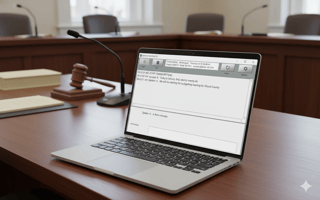
For Judges: Quickly review the written transcript on screen at the bench. It works independently from the court recording services in the courtroom.
-
For Court Administrators: View the live transcript during court to ensure accurate digital recording when court reporters are not present.
How does it support Digital Reporters and Stenographers?
-
For Digital Court Reporters: Stay in complete control while seeing instant visible confirmation of the proceeding, speeding up note taking and readbacks.
-
For Stenographers: Instant transcription provides a written back up, capturing every word, even with the fastest talking and the most complex vocabulary.
How can Attorneys use real-time transcripts?
-
For Attorneys: View the transcript in real time during depositions to quickly reference previous testimony. Save transcripts for review during case preparation.
How It Works: From Microphone to Live Text
RealTime 10 captures people speaking in the room using a microphone or sound system. The digital audio is sent to a secure transcription server with the transcript text immediately displayed in 1-2 seconds on the computer screen.
Can AI handle complex accents and technical vocabulary?
The software uses the latest cloud AI voice recognition technology, making it speaker-independent and able to handle a wide range of accents and technical vocabulary. The transcript text can be reviewed on-screen and saved as a file for later review. It really is that simple, and magical at the same time.
Get Started Today
Learn more about how RealTime 10, Court Reporter 10, and Transcriber 10 can bring the power of AI to your legal proceedings. Call 626-584-9706, or use our online Contact Form.
meeting minutes templates,
transcription templates,
court transcription software,
Court Reporters,
digital court reporting,
transcribe audio,
meeting minutes,
courtroom transcription,
court reporting,
court recording,
digital court reporters,
certified court transcripts,
court transcripts,
court reporting system,
court transcription,
government meeting minutes,
RealTime transcription