
How to turn SoniClear recordings into minutes and transcripts Since launching Transcriber 10, many...
Meeting minutes are crucial for documenting decisions and discussions, but preparing them can be time-consuming. SoniClear's new Transcriber 10 software dramatically improves this process, making it faster and more efficient than ever before.
What is Transcriber 10 and how does it assist with voice-to-text?
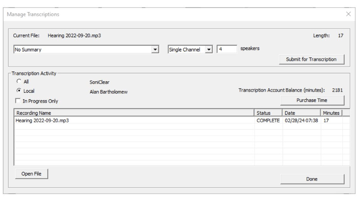
SoniClear has released Transcriber 10, an advanced transcription software for Windows. This powerful tool produces detailed, accurate meeting minutes directly from audio and video recordings. Designed specifically for government meetings, Transcriber 10 captures essential details such as motions, votes, action items, and discussion summaries.
How can clerks streamline the process of producing meeting minutes?
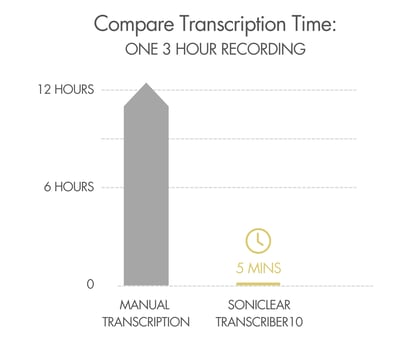
Transcriber 10 transforms the way clerks and government professionals produce meeting minutes. The AI-powered software makes transcribing recordings more efficient than ever, offering the easiest way to transcribe audio or video for government meetings and hearings. By automating the transcription process, Transcriber 10 saves time and improves accuracy, allowing clerks to focus on other critical tasks.
What are the key features of Transcriber 10?
|
How do I get started with Transcriber 10 licensing?
SoniClear Transcriber 10 Pro is for use with any recording system. Licensing options include:
What are the available licensing options for Transcriber 10?
- Available as an annual subscription
- Integration with SoniClear Gov Recorder 10 and Court Recorder 10 for a complete recording and transcription solution
- Can be installed across an organization for workgroups to share at no extra charge
- Ability to purchase cloud transcription time as needed
To get started with Transcriber 10, contact SoniClear sales today at 626.768.0126
